
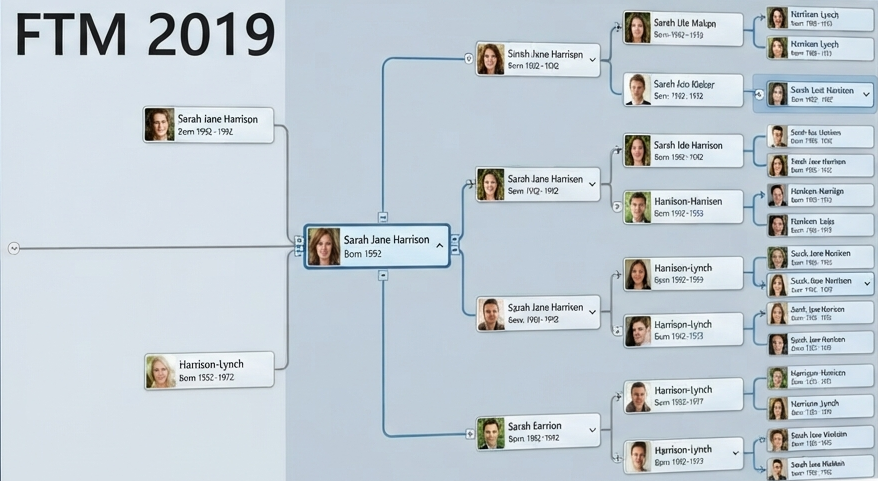
Family Tree Maker 2019

About FTM 2019

Family Tree Maker 2019 is a desktop genealogy program for Windows and Mac. This guide explains its major features, the differences from FTM 2017, system requirements, installation process, updates and common questions for family historians.

Family Tree Maker 2019 software

What Is Family Tree Maker 2019?

FTM 2019 is a desktop family-history application designed for building, organizing, researching, documenting and presenting a family tree.

A major edition for family historians

MacKiev launched FTM 2019 on September 28, 2019. The edition introduced a number of tools aimed at making large family trees easier to manage, including a Change Log with the ability to roll back up to the last 1,000 changes, improved FamilySearch integration, smarter filters, Tree Browser, richer color coding and profile-photo cropping.

FTM 2019 is a desktop application rather than a phone or tablet edition. MacKiev also offers the separate Family Tree Maker Connect mobile app for use with TreeVault cloud services.

Key Features of FTM 2019

These are some of the features highlighted in MacKiev's official FTM 2019 documentation.

1

Change Log & Turn Back Time

FTM 2019 records the last 1,000 changes made to a tree and lets you review the changes and roll back to an earlier point when necessary.

2

FamilySearch Integration 2.0

Improved FamilySearch integration adds historical record hints and lets you download a branch from the FamilySearch Family Tree.

3

Hints in the People Index

Ancestry and FamilySearch hints can appear in the People index, making it easier to review research hints across saved lists and family lines.

4

Smart Filters

Saved filters can automatically include new people who meet the filter criteria and can be reused when creating charts and reports.

5

Tree Browser

Tree Browser provides a central way to find tree files, see their status and manage trees stored locally, linked to Ancestry or in supported cloud workflows.

6

Rich Color Coding

FTM 2019 expands the color-coding approach introduced in FTM 2017, including ancestor and descendant relationships.

7

Profile Picture Cropping

The profile picture cropping tool helps create a suitable square portrait while leaving the original photo untouched.

8

TreeVault Cloud Services

Optional TreeVault services can maintain an automatically updated Antenna Tree and provide features such as emergency restore and mobile viewing through FTM Connect.

9

FamilySync with Ancestry

FTM 2019 supports syncing a Family Tree Maker tree with an associated Ancestry tree, with later updates improving reliability and stability.

FTM 2019 vs FTM 2017

A small feature comparison based on MacKiev's descriptions of the two editions. “New” means the capability was introduced or substantially expanded in FTM 2019.

Feature / Capability FTM 2017 FTM 2019
Change Log / Turn Back Time Not the FTM 2019 1,000-change system Up to 1,000 tracked changes with rollback
FamilySearch Family Tree hints Historical record hints plus branch download
Smart Filters Saved filtered lists introduced Filters can automatically gather newly matching people
People Index hints Earlier hint workflow Ancestry and FamilySearch hints in the index
Tree Browser — New tree-management browser
Rich Color Coding Color coding introduced Expanded ancestor/descendant color coding
TreeVault services — Optional cloud services introduced with FTM 2019

This is a feature-level comparison, not a complete list of every change between editions.

FTM 2019 System Requirements

The following minimum requirements are from MacKiev's published FTM 2019 system-requirements documentation.

Windows
Operating system
Windows 7 or later, including Windows 11
Disk space
900 MB available disk space
Memory
2 GB RAM minimum; 4 GB recommended
Display
1024 × 768 resolution
Online features
Internet access is required for online features.
Mac
Operating system
macOS Yosemite (10.10) or later, including macOS Sequoia (15)
Disk space
900 MB available disk space
Memory
2 GB RAM minimum; 4 GB recommended
Display
1280 × 800 screen resolution
Online features
Internet access is required for online features.

Current-version note

MacKiev's version/build information lists FTM 2019 version 24.2.2, build 560, as the latest FTM 2019 release listed in its support center. If your installation shows an older build, check the official FTM 2019 update documentation before troubleshooting compatibility or sync issues.

How to Install Family Tree Maker 2019

These are simplified steps based on MacKiev's published download and installation instructions. The exact screens can vary slightly by Windows or macOS version.

1

Back up your family tree

Before installing or updating, make a fresh full backup. For a manual backup, MacKiev recommends compacting the tree first and then using File > Backup. Keep a copy away from the computer.

2

Obtain the FTM 2019 installer

After purchase or through the applicable upgrade/download process, use the download link that matches your operating system. MacKiev's replacement-download instructions say the Windows and Mac installer links are also provided by email.

3

Run the downloaded installer

When the installer has finished downloading, double-click the installer file and follow the on-screen installation instructions.

4

Open the newly installed FTM 2019

MacKiev notes that a new FTM 2019 icon appears after installation. On Windows it is normally placed on the desktop; on Mac it is normally available in the Dock or Applications folder.

5

Open or restore your tree

Open an existing tree or restore a backup as appropriate. If you are moving an older tree, use the application's file/import/restore tools rather than overwriting your only original file.

6

Check the installed version

On Windows, open Help > About Family Tree Maker. On Mac, open the Family Tree Maker 2019 menu and choose About Family Tree Maker 2019. MacKiev lists 24.2.2 (Build 560) as the latest FTM 2019 build in its version-check article.

Important: Do not delete your old tree or backup simply because the installation completed successfully. First open the tree, check your people, media, sources and other important information, and confirm that your backup is safely stored.

Frequently Asked Questions About FTM 2019

Ten practical questions about the software, installation, compatibility and updates.

1. What is Family Tree Maker 2019?

Family Tree Maker 2019 is a desktop genealogy application for Windows and Mac computers. It introduced features including Change Log and Turn Back Time, improved FamilySearch integration, Tree Browser, richer color coding and optional TreeVault cloud services.

2. When was FTM 2019 released?

MacKiev's FTM 2019 FAQ states that Family Tree Maker 2019 was launched on September 28, 2019.

3. What is the latest FTM 2019 version and build?

MacKiev's version-check documentation lists FTM 2019 version 24.2.2, Build 560, as the latest FTM 2019 version listed there.

4. Can FTM 2019 run on Windows 11?

Yes. MacKiev's published FTM 2019 requirements list Windows 7 or later, including Windows 11.

5. What are the minimum Windows requirements for FTM 2019?

Windows 7 or later, 900 MB available disk space, 2 GB RAM with 4 GB recommended, and a 1024 × 768 display are listed by MacKiev.

6. What are the minimum Mac requirements for FTM 2019?

MacKiev lists macOS Yosemite 10.10 or later, 900 MB available disk space, 2 GB RAM with 4 GB recommended, and a 1280 × 800 display.

7. Does FTM 2019 support Apple silicon Macs?

Yes. MacKiev states that the 24.1 update added native Apple silicon support. Keeping FTM 2019 updated is important when using newer macOS releases.

8. Should I back up my tree before installing or updating?

Yes. MacKiev recommends a fresh full backup before an update or upgrade. Its backup guidance also recommends keeping a copy somewhere other than the computer itself.

9. Can FTM 2019 sync with Ancestry?

Yes. FTM 2019 includes FamilySync technology for syncing with an associated Ancestry tree. Later FTM 2019 updates included fixes and improvements intended to make syncing more reliable.

10. Does FTM 2019 have a mobile app?

FTM 2019 itself is a desktop application. MacKiev also provides the separate Family Tree Maker Connect mobile app, which works with TreeVault cloud services.

Need Help With FTM 2019?

If you need help with installation, an older tree, backup and restore, Ancestry syncing, missing media, transfers or general Family Tree Maker troubleshooting, describe the issue and the Windows or Mac version you are using.